
Quick Answer: AI database reactivation uses a conversational AI agent, voice or text, to call or message dormant CRM contacts, hold a real qualifying conversation, and book the ones worth talking to straight onto a calendar, no rep required for the first touch. The edge over a manual sequence is speed and scale: contacting a lead within the first hour makes it about 7x more likely to qualify, according to Harvard Business Review, and an AI agent can make that first call to every dormant contact the same day a campaign launches instead of over the following month. The honest caveat: no audited industry-wide booked-call rate exists yet, so any vendor promising a fixed percentage is guessing.
A dormant CRM list does not stay dormant because nobody cares about it. It stays dormant because calling or texting a few thousand cold contacts by hand takes longer than any rep has in a week already full of fresh leads.
So the list waits. Quarter after quarter, it sits there collecting more names nobody has time to work, while the business keeps paying for new leads instead.
That math gets worse every month the list sits untouched, and it is the same math whether the business is a med spa with 800 past patients or a home builder with a decade of estimate requests that never closed.
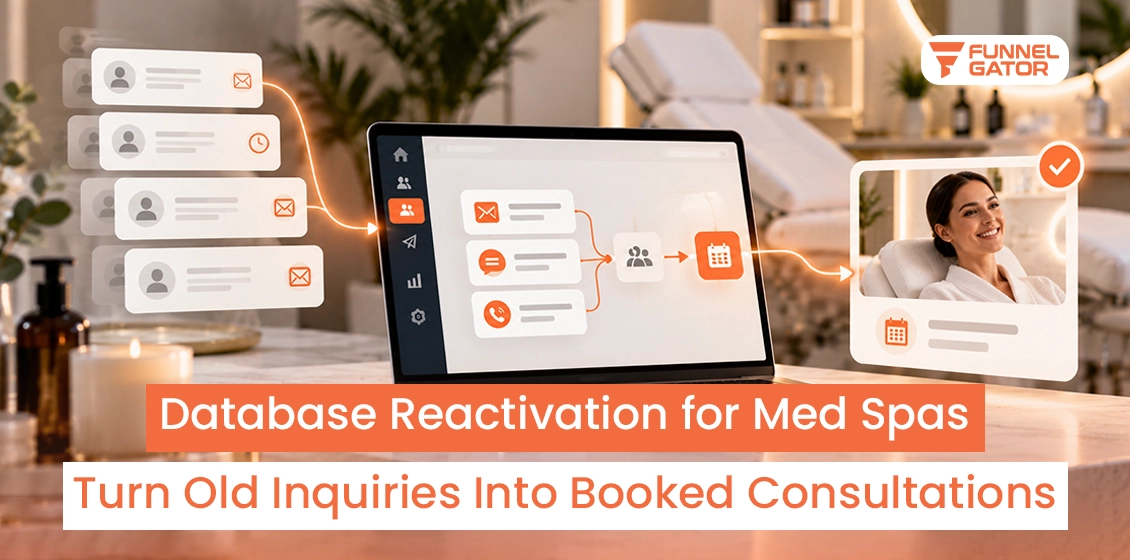
A conversational AI agent removes the bottleneck that makes manual reactivation impractical at scale. It calls or texts every contact the day the campaign launches, asks the qualifying questions a rep would ask, and hands a human only the ones who are actually worth a human’s time: booked calls already on the calendar.
This guide covers what that actually looks like, what it costs against a human-run sequence, what to expect in return, and how to set it up inside GoHighLevel without creating a compliance problem along the way.
| Quick summary | |
|---|---|
| What it is | An AI voice or text agent that re-engages dormant CRM contacts and books qualified ones directly onto a calendar |
| Channels | Voice calls and SMS or text, chosen by the channel the contact originally consented to |
| Speed edge | Contacting a lead within the first hour makes it about 7x more likely to qualify, per Harvard Business Review |
| Adoption | 39% of consumers already say they’re comfortable with an AI agent booking appointments for them, per Salesforce research |
| Compliance | The FCC ruled in February 2024 that AI-generated voices in calls count as “artificial” under the TCPA, so the same consent rules apply |
| Benchmark | No audited industry-wide booked-call rate exists yet; treat any fixed percentage a vendor promises with skepticism |
| Best fit | Appointment-driven businesses running GoHighLevel with a dormant list too large for a rep to work by hand |
1. Why Manual Database Reactivation Hits a Ceiling
A workflow can send an email to five thousand contacts at once. It cannot hold five thousand qualifying conversations. Somewhere between the automated first email and the human follow-up call, most reactivation campaigns stall, not because the contacts are not worth calling, but because the team is not built to call all of them.
That gap is exactly what conversational AI closes. It does not replace the Smart List and workflow logic; it replaces the part of the sequence that used to require a person on the phone or texting back and forth — the actual qualifying conversation.
Database Reactivation Statistics for 2025
A handful of sourced, independently verifiable numbers matter more here than a wall of vague percentages. These are the ones worth knowing before running an AI reactivation campaign against a cold leads database.
| Statistic | Figure | Source |
|---|---|---|
| Lead response speed effect | Contacting a lead within the first hour makes it about 7x more likely to qualify than a slower response | Harvard Business Review (Oldroyd, 2011) |
| Consumer comfort with AI booking | 39% of consumers already say they’re comfortable with an AI agent booking appointments for them | Salesforce, State of the Connected Customer |
| Projected contact center AI savings | Conversational AI was forecast to cut contact center agent labor costs by $80 billion in 2026 | Gartner, 2022 forecast |
| TCPA statutory damages | $500 to $1,500 per violation for unconsented automated calls or texts, AI-generated voices included | FCC Declaratory Ruling, February 2024 |
Funnel Gator’s step-by-step dead CRM leads framework guide covers how to build a manual, rep-run reactivation sequence inside GoHighLevel: a Smart List, a workflow, a pipeline stage. That approach works. It also has a ceiling, and the ceiling is simple: a human being can only call or text so many people in a day.
2. What Conversational AI Actually Does Differently in a Reactivation Campaign
Running AI reactivation campaigns against a cold leads database is not the same thing as sending that database an automated drip sequence. A drip sequence waits for the contact to act. A conversational AI agent starts the conversation, asks questions, and adjusts based on what the contact says.
The short answer: the AI handles the first conversation; a human closes it
A working AI reactivation setup has three moving parts: an agent that calls or texts using a script built around the original reason the contact went quiet, a qualifying logic that scores the conversation in real time, and a direct calendar connection so a qualified contact books a time without waiting on a human to follow up.
This is the AI systems layer Funnel Gator builds as part of its CRM automation systems: AI lead qualification, AI follow-up, and voice and chat automation running on top of the CRM a team already uses, rather than a separate tool bolted on beside it.
How the AI agent qualifies a contact in real time
The agent asks a short set of qualifying questions drawn from why the contact is in the CRM at all: an unsold quote, a missed appointment, a past purchase that lapsed. Answers get scored against rules set in advance — timeline, budget signal, continued interest — so the handoff to a human only happens for contacts worth a human’s time.
This is the part a static workflow cannot do. A workflow can branch on whether someone clicked a link. It cannot ask a follow-up question based on what the contact just said and adjust the next line in response.
How it books directly onto a calendar without a handoff delay
Once a contact qualifies, the agent offers available times straight from the connected calendar and confirms the booking inside the same conversation. No rep has to call back to schedule it, which matters because the gap between “interested” and “actually on the calendar” is where a lot of soft interest quietly dies.
What this looks like inside GoHighLevel
An AI database reactivation build inside GoHighLevel connects a voice or conversation AI agent to the same Smart List logic covered in the manual framework: the agent pulls from a segmented list, logs every call or text directly to the contact record, and moves a qualified contact into a dedicated pipeline stage the moment a call is booked. The calendar connection runs through GoHighLevel’s native booking, so a confirmed appointment appears on the calendar and the contact’s record updates at the same time, with no separate system to reconcile.
Funnel Gator builds this layer on top of the same pipeline-isolation principle used in the Apex Auto Care rebuild: a contact that books through the AI agent gets its own stage, never merged back into a general pipeline where it is impossible to tell whether the campaign actually worked.
3. Building a Database Reactivation Campaign Step by Step
A database reactivation campaign built around conversational AI still starts with the same list hygiene any reactivation effort needs. The AI changes what happens after the list is ready, not whether the list needs preparing first.
Step 1: Clean and Segment the Dormant List
Run the list through verification first, same as any reactivation effort, and exclude anyone who unsubscribed, filed a complaint, or has no valid contact method on file. Segment the rest by why they went quiet: unsold quotes, missed appointments, lapsed customers, and never-converted inquiries each need a different opening line.
Step 2: Choose Voice, Text, or Both
A phone call carries more information and reads as more personal, which works well for higher-value conversations like an unsold estimate or a lapsed service contract. Text is faster to answer and less intrusive, which fits lower-stakes reconnects like a past customer who has not booked a repeat appointment.
The channel has to match what the contact actually consented to originally, not just whichever channel converts better. A contact who only opted into email should not be added to a voice or SMS workflow just because a phone number sits on the record.
Step 3: Write the AI Agent’s Qualifying Script
The opening line should reference the actual reason the contact is in the CRM, not a generic “checking in.” A script for an unsold quote references the estimate by name; a script for a lapsed patient references the last visit. The qualifying questions that follow should be short, three to four at most, since a contact who feels interrogated hangs up before reaching the booking offer.
Step 4: Set the Human Handoff Trigger
Decide in advance what counts as a qualified booking: a specific timeline, a budget signal, explicit interest in scheduling. Anything short of that threshold gets logged and suppressed from further automated contact rather than passed to a rep, so the sales team only sees contacts actually worth their time.
Step 5: Track Booked Calls Back to the Pipeline
Every booking the AI agent generates should land in its own pipeline stage, tagged by the campaign that produced it. Without that tag, a reactivated booking looks identical to a fresh inbound lead in the reporting, and there is no way to tell whether the campaign is actually paying for itself.
Pro Tip: Run a pilot against the warmest 10% of the dormant list first — contacts inactive six to twelve months rather than three years — before committing to the full database. A small pilot gives a business its own real booked-call rate instead of borrowing an unverified one from somewhere else.
4. What ROI to Actually Expect From a Database Reactivation Campaign
Most pages selling an AI database reactivation service publish a specific conversion number, often somewhere between four and nine percent of a list converting to a booked call. None of the ones reviewed for this guide cite an audited source for that range; the closest to an attributed figure traces back to unpublished vendor client data with no disclosed sample size or methodology. The honest answer is that no independently audited, industry-wide benchmark for AI reactivation booked-call rates exists yet.
What does hold up is the cost comparison. An AI agent can make the first call or send the first text to every contact on a list the day a campaign launches, where a rep working the same list by hand might take a month to get through it once.
The expected ROI on a database reactivation campaign is less about a fixed conversion percentage and more about what it costs to find out. Three numbers decide whether a specific list is worth running: the size of the list, the value of a single booked call that converts to a sale, and the cost of the AI platform or agency handling the build. A business with a 2,000-contact list and a $3,000 average deal value only needs a small number of bookings to convert into closed deals before the campaign pays for the setup.
Key Takeaway: The AI agent’s job ends at a booked call, not a closed deal. Treating the AI as a closer instead of a qualifier is the most common reason these campaigns underdeliver.
5. Staying Compliant When an AI Agent Is Doing the Contacting
In a February 2024 declaratory ruling, the FCC confirmed that calls using AI-generated voices count as using an “artificial” voice under the TCPA. That means an AI voice agent calling a dormant contact needs the same prior express written consent that any automated call already required, and the AI framing changes nothing about the underlying consent rule.
The practical implication is that AI does not create a compliance shortcut. A contact whose original opt-in only covered email cannot legally be added to an AI voice or SMS reactivation workflow just because the technology sounds more conversational than a scripted robocall. The consent requirement sits with the channel and the original opt-in, not with how human the AI sounds.
⚠ Warning: TCPA violations carry statutory damages of $500 to $1,500 per violation, and that exposure applies per contact, per call. Re-verify consent status before any AI agent fires against a dormant list, not after the campaign is already running.
Who This Guide Is For (and Who It Isn’t)
This fits appointment-driven businesses sitting on a dormant list too large to work by hand: multi-location service businesses, med spas, auto service centers, and home builders with years of unsold estimates sitting in a CRM nobody has called back. Lead reactivation for builders specifically tends to produce strong results, since unsold estimates already represent a qualified, priced conversation that just never closed.
It is a poor fit for a business with fewer than a few hundred dormant contacts, where a rep working the list manually over a week or two costs less than setting up an AI agent. It is also not a replacement for the compliance work covered above: a database reactivation agency or service worth hiring should verify consent status before touching a list, not after.
6. Final Verdict: AI Closes the Gap a Rep’s Schedule Cannot
A dormant CRM list does not need a bigger sales team to work it. It needs the first qualifying conversation to happen for every contact on the list, not just the ones a rep got to before running out of hours in the week. A conversational AI agent does that part, then hands a human only the contacts who already booked a time to talk. That is the entire value of the approach: it closes the gap between a list that is worth working and a team that has the hours to work it.
Funnel Gator works as a database reactivation agency handling both the manual GoHighLevel build and the AI layer on top of it. A business unsure which approach fits its list can book a free strategy call and get the pipeline mapped before any build starts.
Ready to Put an AI Agent on Your Dormant Database?
Funnel Gator will map which contacts in the CRM are worth reactivating and build the AI and GoHighLevel workflows to do it.
A full audit of the CRM’s dormant and unsold-quote segments
A custom AI voice or text agent script, not a generic robocall
A dedicated pipeline stage so booked calls are easy to track back to the campaign
No payment, no pressure, just a plan.