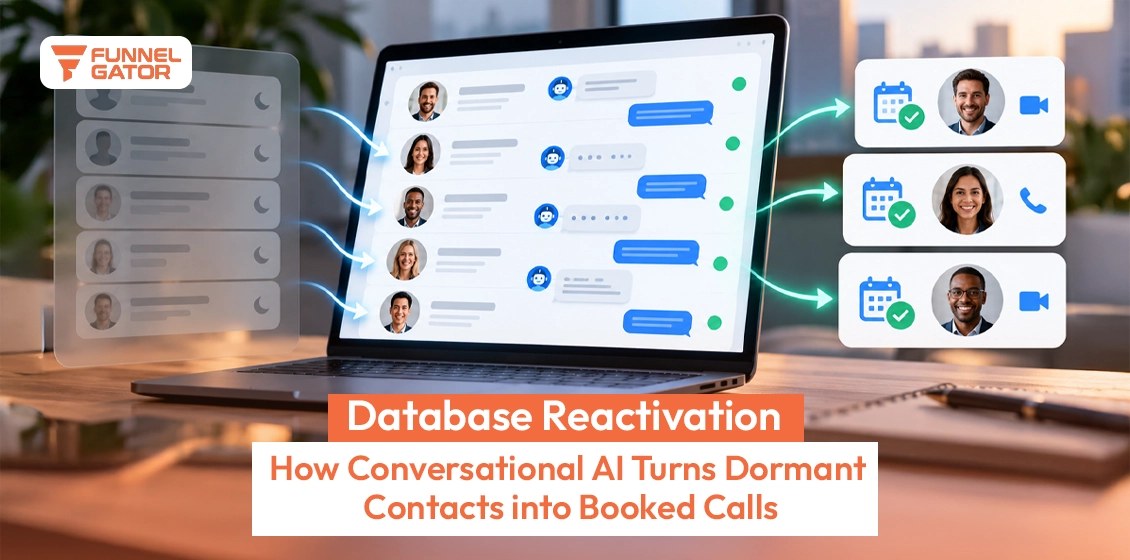

Quick Answer: Most “dead” CRM leads aren’t gone; they’re decayed data sitting in the wrong pipeline stage, and roughly 22.5% of a B2B database decays this way every year. Revive them with a 5-step framework — verify, segment, sequence, re-contact, route — built as one Smart List and three GoHighLevel workflows, which typically takes one to two weeks to set up. The honest caveat: contacts inactive for more than a year convert far less often, so budget for a smaller win rate on that oldest segment.
Most businesses already paid to get these contacts into their CRM. Right now, most of them are just sitting there, tagged “unresponsive” or buried on page twelve of a pipeline nobody opens.
That’s not a data problem. It’s a decision nobody’s made yet.
There’s a quiet frustration in staring at a CRM full of names a team paid to acquire and did nothing with. It feels wasteful, because it is.
The average B2B database loses about 22.5% of its contacts to decay every year, according to HubSpot’s database decay research, based on Marketing Sherpa’s benchmark study. Multiplied against the cost per lead, the number gets uncomfortable fast.
Leave that list untouched for another quarter and a business isn’t just losing contacts. It’s paying to replace people it already owns.
This guide walks through how to find the leads worth reviving, build the sequence that wakes them up, and set it up inside GoHighLevel so it runs without a rep lifting a finger.
| Quick summary | |
|---|---|
| Decay rate | B2B databases lose about 22.5% of contacts a year to decay |
| Fix window | A standard GoHighLevel reactivation build takes one to two weeks from Smart List to live workflows |
| Segments | Four buckets matter: warm ghosts, cold database, dormant customers, zombie contacts |
| Channels | Email-only sequences underperform; adding SMS and a verification call lifts reply rates |
| Compliance | TCPA violations carry $500 to $1,500 in statutory damages per violation |
| Cost comparison | Reactivating an existing contact costs a fraction of acquiring a new lead |
| Pipeline rule | Reactivated leads need their own stage, never merged back into cold leads |
1. Why “Dead” Leads Aren’t Actually Dead
A lead goes quiet for one of three reasons: the contact information rotted, the timing was wrong, or nobody followed up fast enough to keep the conversation alive. Rarely is it because the prospect decided the offer wasn’t right for them.
A lead marked “dead” is usually just a lead with stale data sitting in the wrong pipeline stage. The contact might have changed jobs, missed an email that landed in a folder nobody checks, or simply gotten busy the week a rep called.
Reactivation work sits inside Funnel Gator’s lead generation programs for exactly this reason: reviving a contact a business already paid for costs a fraction of acquiring a new one.
In our experience working with service businesses on GoHighLevel, the leads everyone assumes are dead are usually just unverified, not uninterested. Some continuous re-verification studies, including a 2026 Cleanlist analysis that re-checked the same 5,000 contacts weekly for a quarter, found decay compounding closer to 60 to 70% a year once it’s measured continuously instead of annually. Work email addresses decay fastest, job titles next, direct phone numbers close behind.
One honest limitation: no framework revives everyone. Teams should expect to permanently suppress 20 to 40% of any list older than a year, no matter how good the sequence is.
Before Writing Off a List
Run a sample of 50 to 100 “dead” contacts through an email and phone verification tool
Check how many bounced versus how many simply never opened or answered
Compare last-activity dates against the actual follow-up history, not assumptions
Flag anyone who unsubscribed or filed a complaint for permanent suppression
2. The 5-Step Framework for Reviving Dead CRM Leads
Reviving a list works in five stages: verify, segment, sequence, re-contact, and route. Skipping verification burns sending reputation on bounces. Skipping segmentation means the same offer lands on someone who already bought and someone who went quiet eight months ago.
Poor data quality costs organizations an average of $12.9 million a year, according to a 2023 Gartner report, and a meaningful share of that comes from reps burning hours chasing numbers that no longer connect.
Step 1: Verify Before Touching Anything
Run the full list through an email and phone validation service before a single message goes out. Anything that bounces, comes back disconnected, or flags as a landline on an SMS-only workflow gets suppressed, not reactivated.
This step gets skipped more than any other because it feels like busywork with no immediate payoff. It isn’t. A sending domain that pushes messages into a list full of dead addresses sees its reputation drop within days, and that damage follows every future campaign, not just this one.
Step 2: Segment by Why a Contact Went Quiet
Segment by why a contact went quiet, not just how long ago. A lead who booked a call and no-showed needs a different message than one who downloaded a lead magnet and never replied. Group contacts by last activity date, original lead source, and how far they got through the funnel before stopping.
| Segment | Time since last activity | Best first touch |
|---|---|---|
| Warm ghosts | Under 90 days, previously engaged | Direct email referencing original interest |
| Cold database | 90 to 365 days, little engagement | Value-first email or SMS, no hard pitch |
| Dormant customers | More than 6 months inactive (past buyers) | Win-back offer tied to purchase history |
| Zombie contacts | More than 365 days, never engaged | One verification touch, then suppress |
Step 3: Build a Sequence That Earns a Reply
Build a sequence that earns a reply before it asks for one. The first message should reference why the contact is in the CRM at all, not open with a generic “just checking in.” A warm ghost gets a line about the original conversation; a zombie contact gets one clean, low-pressure touch rather than a hard pitch.
Three to five touches spaced several days apart outperforms a single blast every time, because most replies come from the second or third message, not the first.
Step 4: Re-Contact Across More Than One Channel
Re-contact across more than one channel, since a contact gone quiet on email might still answer a text or pick up a call. Email carries the bulk of the sequence, with SMS reserved for a shorter, higher-intent nudge later in the cadence, never the opening message.
Channel order matters as much as channel choice. Leading with SMS on a contact who never explicitly opted into texting is the fastest way to turn a reactivation campaign into a compliance problem, covered in detail further down.
Step 5: Route Responders Into an Active Pipeline Stage
Route anyone who responds straight into an active pipeline stage, separate from the reactivation workflow that found them. A reply ends the automation and starts a normal sales conversation, with the rep who owns that lead source notified immediately.
The segment matters more than the message. A well-written email sent to the wrong segment still gets ignored. A mediocre one sent to a warm ghost at the right time gets a reply.
Pro Tip: A business unsure which segment its list falls into can book a free strategy call, and Funnel Gator will map the pipeline before any build starts.
3. How Do You Actually Build This Inside GoHighLevel?
This is the part most teams skip. Funnel Gator’s deep dive on database reactivation strategies covers the bigger-picture why; this section covers the how — three concrete pieces that turn a framework into a system that runs itself.
The short answer: one Smart List, three workflows, and a dedicated pipeline stage
A working GoHighLevel reactivation setup needs exactly three pieces: a Smart List built from the segmentation criteria above, a set of workflows triggered by that list, and a pipeline stage called something like “Reactivation In Progress” so these contacts never get lost back into the main pipeline. Most teams try to bolt reactivation onto an existing pipeline and the leads disappear into stages built for a different kind of conversation.
Four stages carry a contact from a cold record to an active sales conversation. Each one is a discrete piece of GoHighLevel configuration, not a vague phase, which is what makes the system repeatable instead of a one-off campaign.
Stage 1: The Smart List Filters by Last Activity
The Smart List filters on “Last Activity Date,” “Lead Source,” and any custom field tracking pipeline stage at the point a contact went quiet. Contacts tagged unsubscribed, opted out, or marked as a hard bounce get excluded, since GoHighLevel will still allow a message to go out if the filter logic isn’t tight.
This is the stage most builds get wrong, because a Smart List built once and never revisited slowly fills with contacts who already converted or already opted out. Filters should exclude anyone who has moved to an active pipeline stage since the list last ran.
Stage 2: A Workflow Fires for Each Segment
Each segment from Step 2 gets its own workflow, triggered the moment a contact enters that Smart List. A short random delay before the first touch keeps the send from looking like a blast campaign to spam filters, and the workflow branches by channel based on what consent is on file for that contact.
Running four segments through one shared workflow with if/else branches is possible in GoHighLevel, but a dedicated workflow per segment is easier to read, easier to pause individually, and easier to report on once results start coming in.
Stage 3: Replies Move Contacts Into a Reactivation Pipeline Stage
Once a contact replies to any touch in the sequence, GoHighLevel moves them to the reactivation pipeline stage automatically, out of the workflow and into something a human manages. This stage exists specifically so a reactivated contact isn’t dumped back into the general pipeline, where it’s impossible to tell which leads came from the campaign.
Stage 4: Active Sales Takes Over, Owner Notified
The workflow notifies whoever owns that lead source the moment a contact lands in the reactivation stage, so the handoff happens in minutes, not whenever someone next checks the pipeline. From there, it’s a normal sales conversation, not a reactivation project anymore.
What this looked like for Apex Auto Care: Funnel Gator’s rebuild of Apex Auto Care’s pipeline structure moved new-lead response time from hours down to roughly five minutes by routing contacts through dedicated GoHighLevel pipelines instead of a single shared inbox. The same pipeline-isolation principle applies here: contacts who re-engage from a dead-lead workflow need their own stage, not a merge back into cold leads, or they end up back where they started within a few weeks.
4. Staying Compliant While Re-Engaging Old Leads
Re-contacting people who haven’t heard from a business in months carries real compliance risk, especially over SMS and phone. The rules depend on how the original consent was collected and which channel is used to re-engage.
Under the TCPA, automated texts and calls to contacts who never gave express written consent for that channel, or who’ve since revoked it, can trigger statutory damages of up to $500 per violation, or up to $1,500 for willful violations. CAN-SPAM has lighter requirements for email but still demands a working unsubscribe link and a physical mailing address in every message, reactivation sequences included.
The safest approach is to re-verify consent status before any automated channel fires, not after. If a contact’s original opt-in only covered email, it shouldn’t be added to an SMS workflow just because a phone number is on file.
⚠ Warning: Database reactivation campaigns are one of the most common sources of TCPA complaints, because teams reuse old consent records without checking if that consent still covers the channel they’re about to use. When in doubt, the safer move is an email-only touch, letting the contact opt into SMS.
Who This Guide Is For (and Who It Isn’t)
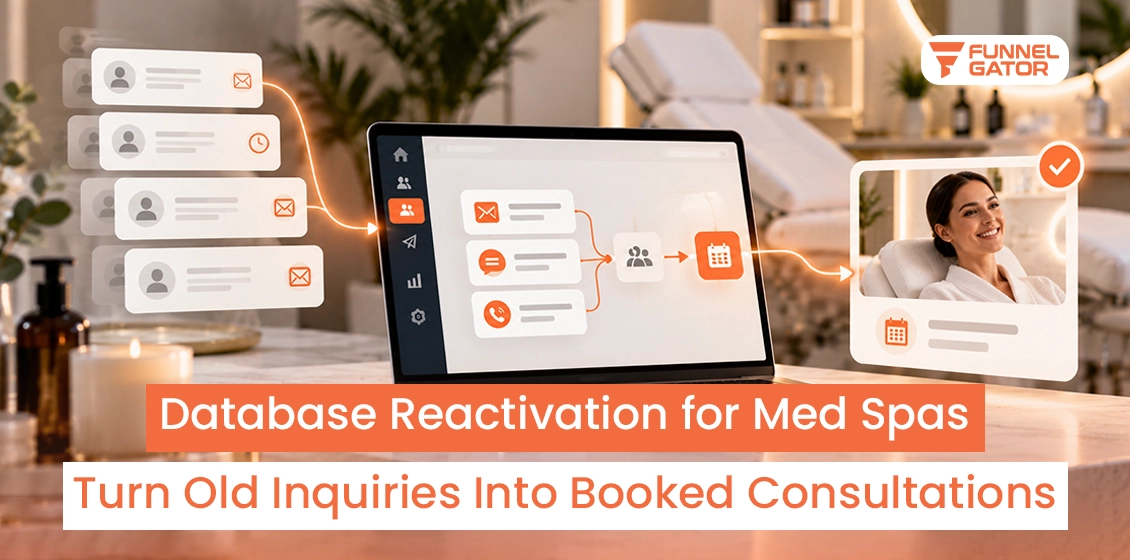
This framework fits appointment-driven businesses and service companies already running, or willing to run, GoHighLevel as their CRM. Multi-location operators, med spas, auto service centers, and B2B agencies with a database older than six months get the most out of it.
It’s a poor fit for teams on a CRM without native workflow and pipeline tools, or for anyone with only a small list of dormant contacts, since the setup time won’t pay back on a list that small.
5. Final Verdict: Dead Leads Are a Pipeline Problem
A CRM with contacts untouched for more than 90 days is sitting on cheaper revenue than any new campaign will produce. This approach fits appointment-driven businesses and service companies running GoHighLevel, where pipeline isolation and multi-channel sequencing are already native to the platform. Once the Smart List and workflows go live, the system runs without a rep manually chasing cold names through a spreadsheet. Warm ghosts and dormant customers produce the fastest wins; zombie contacts mostly earn a clean suppression list instead of a sale.
Key Takeaway: The workflow logic matters less than the pipeline isolation. Reactivated leads that fall back into the main pipeline make it impossible to measure whether the sequence actually worked.
Start with verification, build the segments, and let the sequence handle the re-contacting. Funnel Gator builds this exact system inside GoHighLevel for clients every month.
Ready to Recover the Revenue Sitting in Your Pipeline?
Funnel Gator will map which contacts are worth reviving and build the GoHighLevel workflows to do it.
A full audit of the CRM’s dead and dormant segments
A custom Smart List and workflow build, not a generic template
A dedicated pipeline stage so results are easy to track
No payment, no pressure, just a plan.